A terminal management experience built around the operational journey.
Designing the interface for POS terminal requests, merchant validation, request tracking, fault management and reporting — connecting creation, review, monitoring and resolution in one workspace.
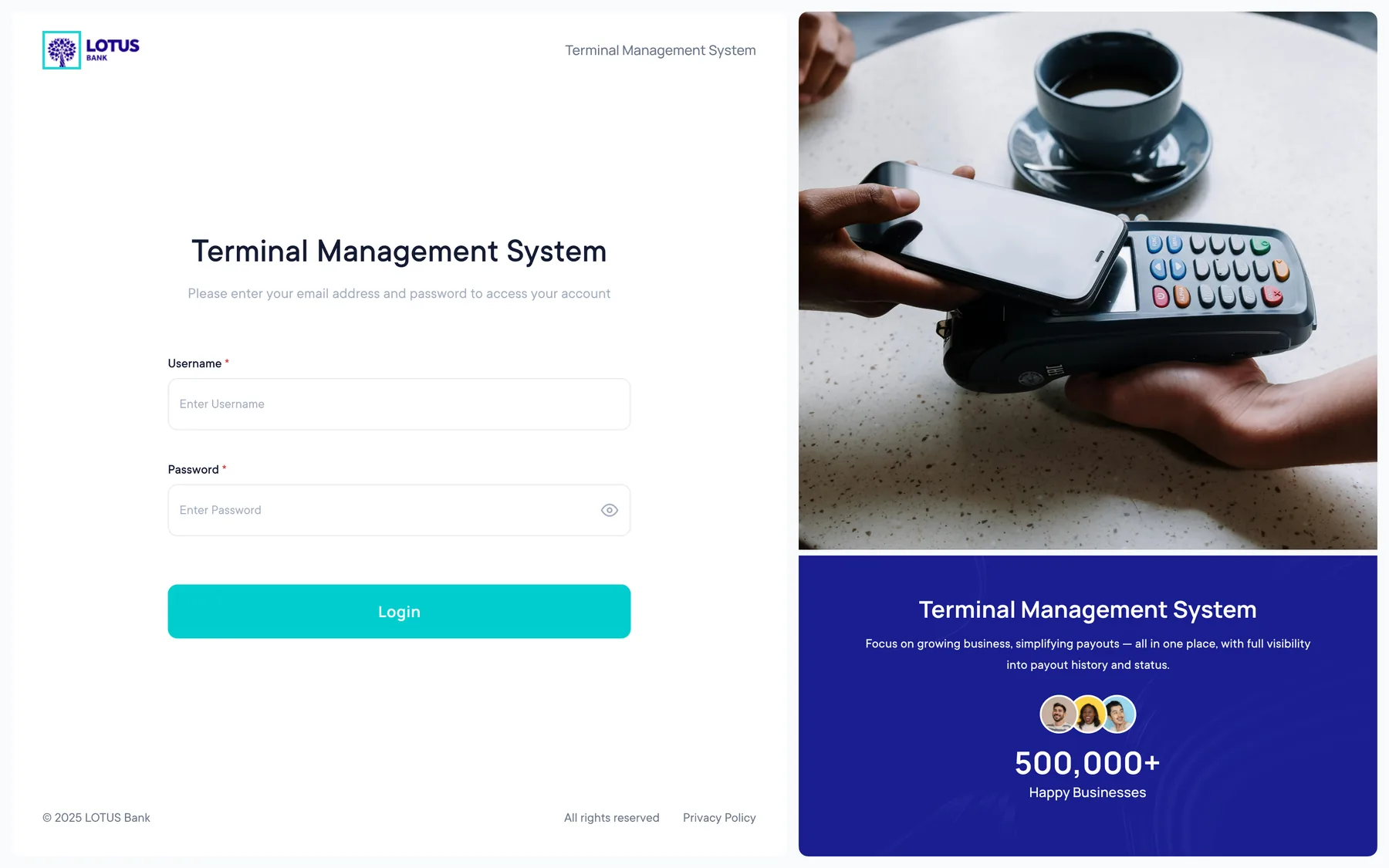
Turn a chain of operational tasks into a traceable workflow.
Terminal operations are not one-step transactions. A request can move through merchant details, validation, review, approval, fulfilment and ongoing issue resolution.
The interface needed to keep status visible while giving teams enough context to act quickly — without forcing them to jump between disconnected screens.
Design the workflow from request creation to resolution.
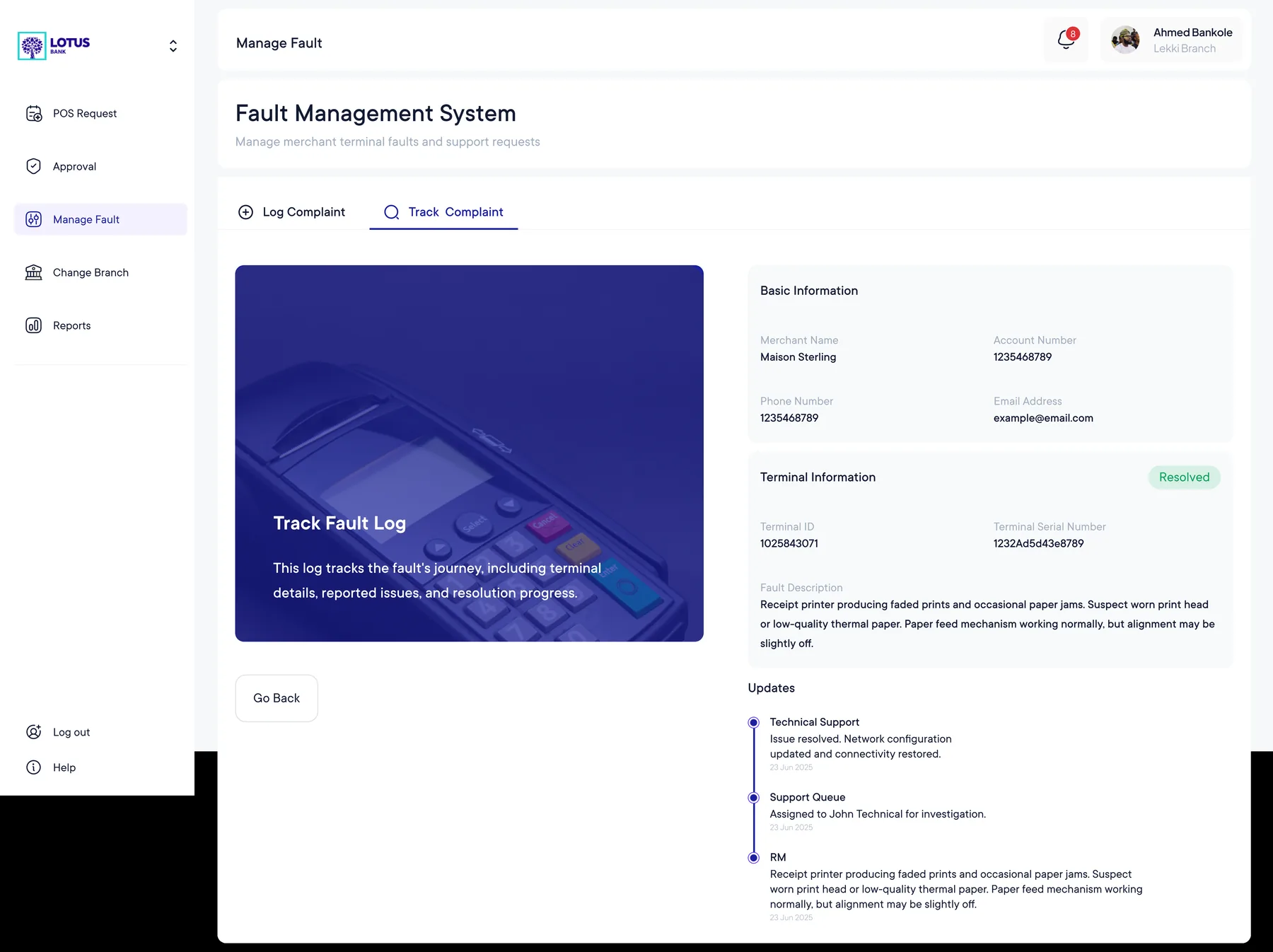
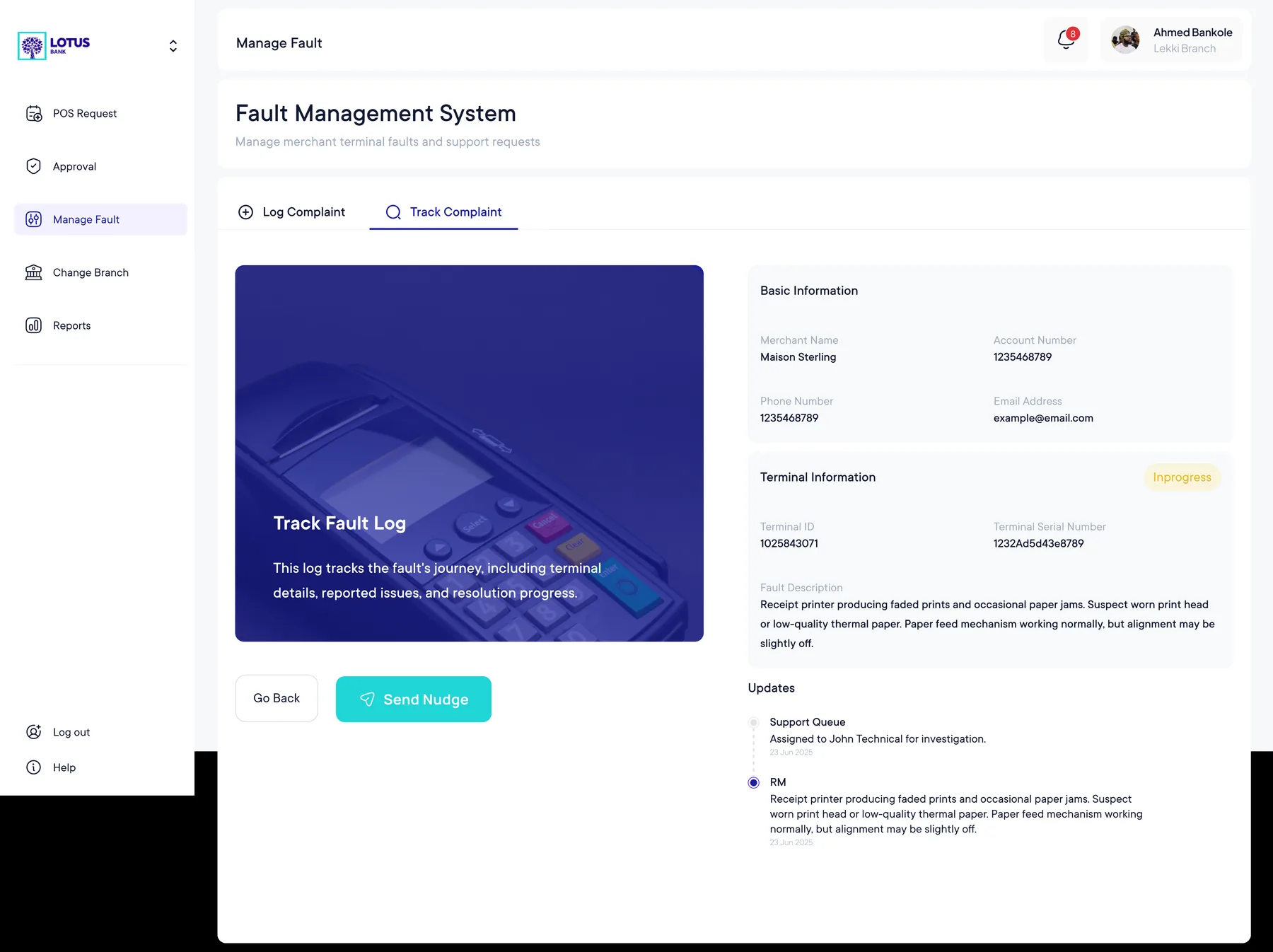
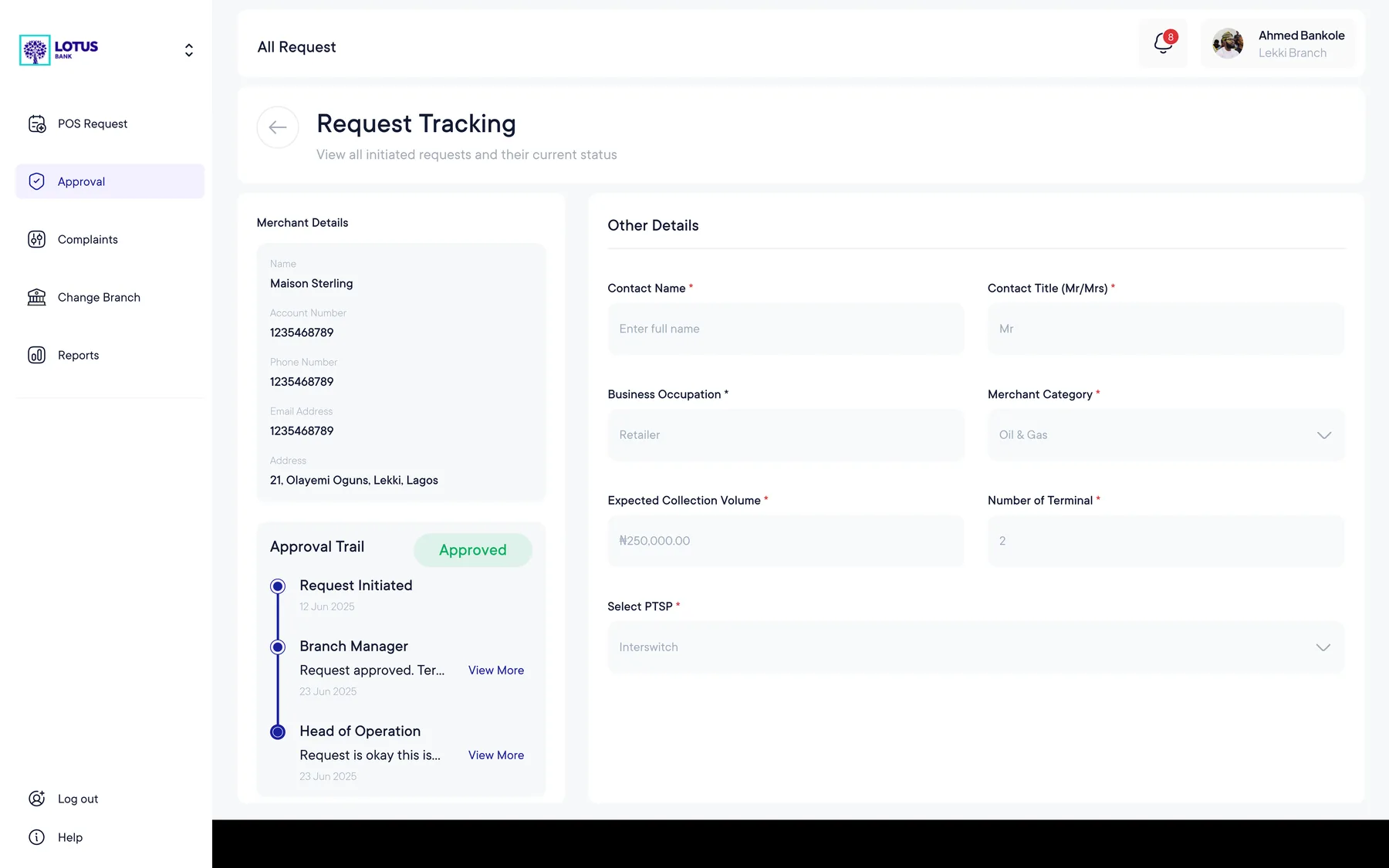
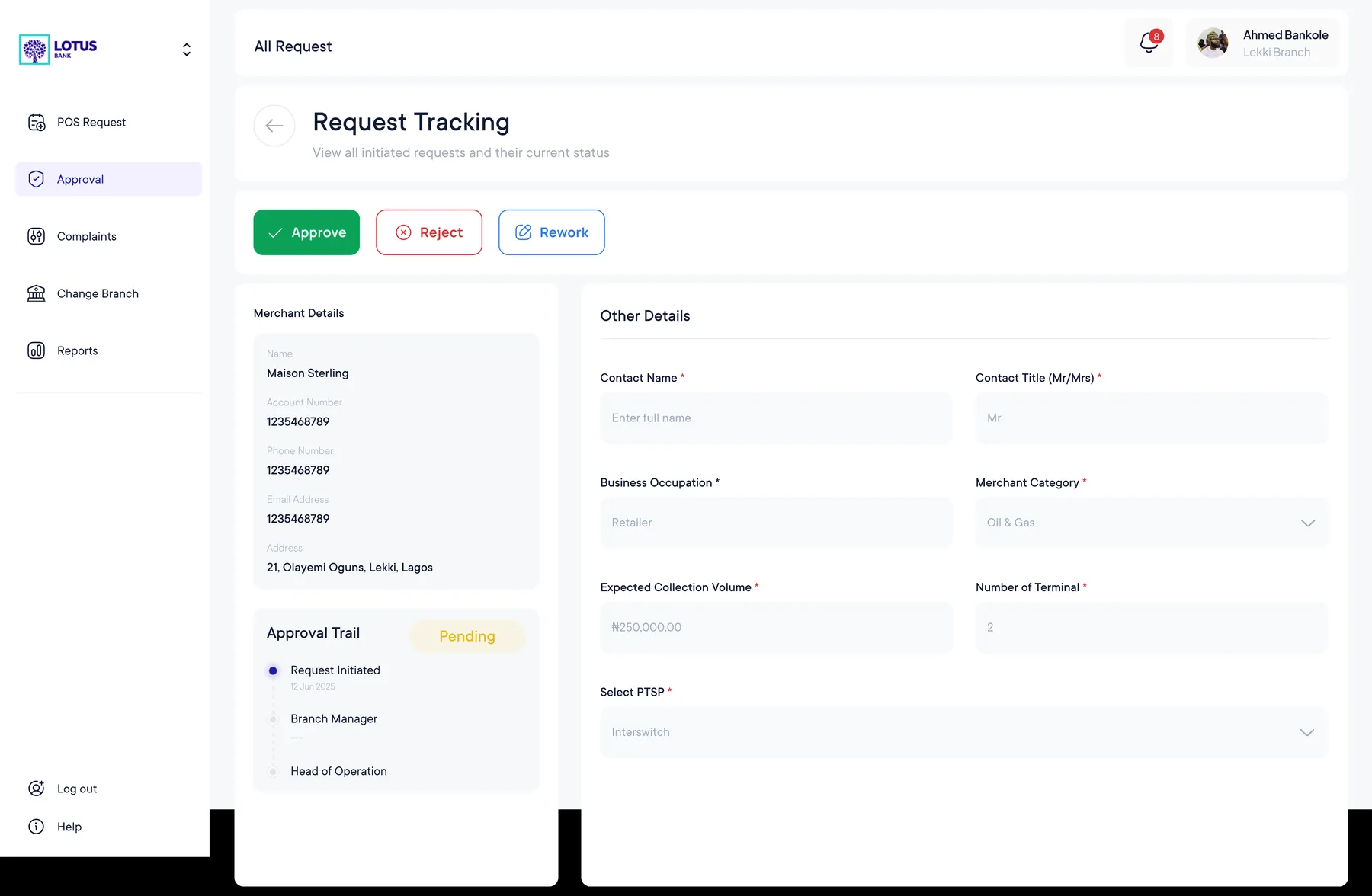
I designed the core TMS journeys shown in the supplied screens, covering the request and tracking lifecycle as well as operational fault handling.
Make operational status the interface’s organising principle.
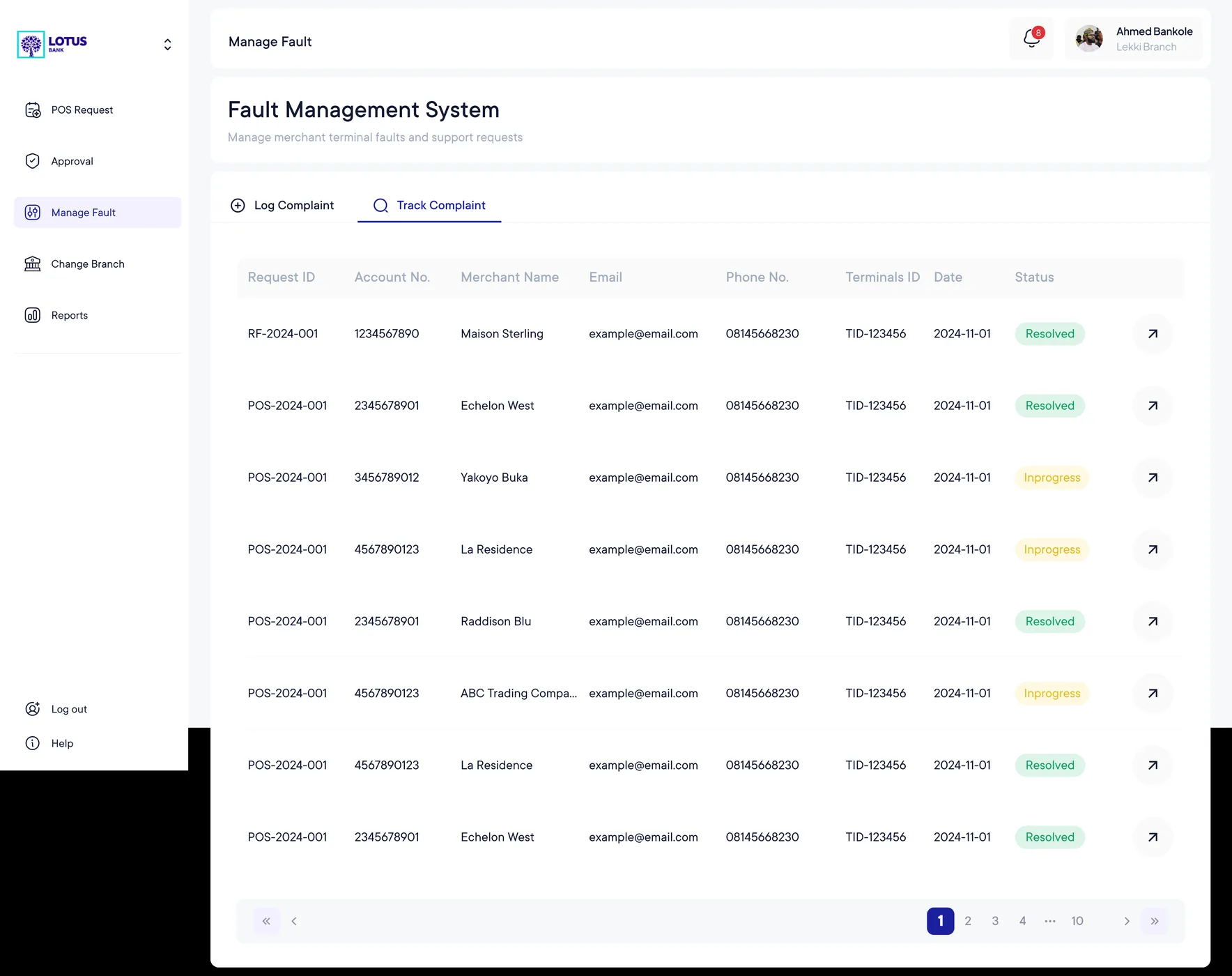
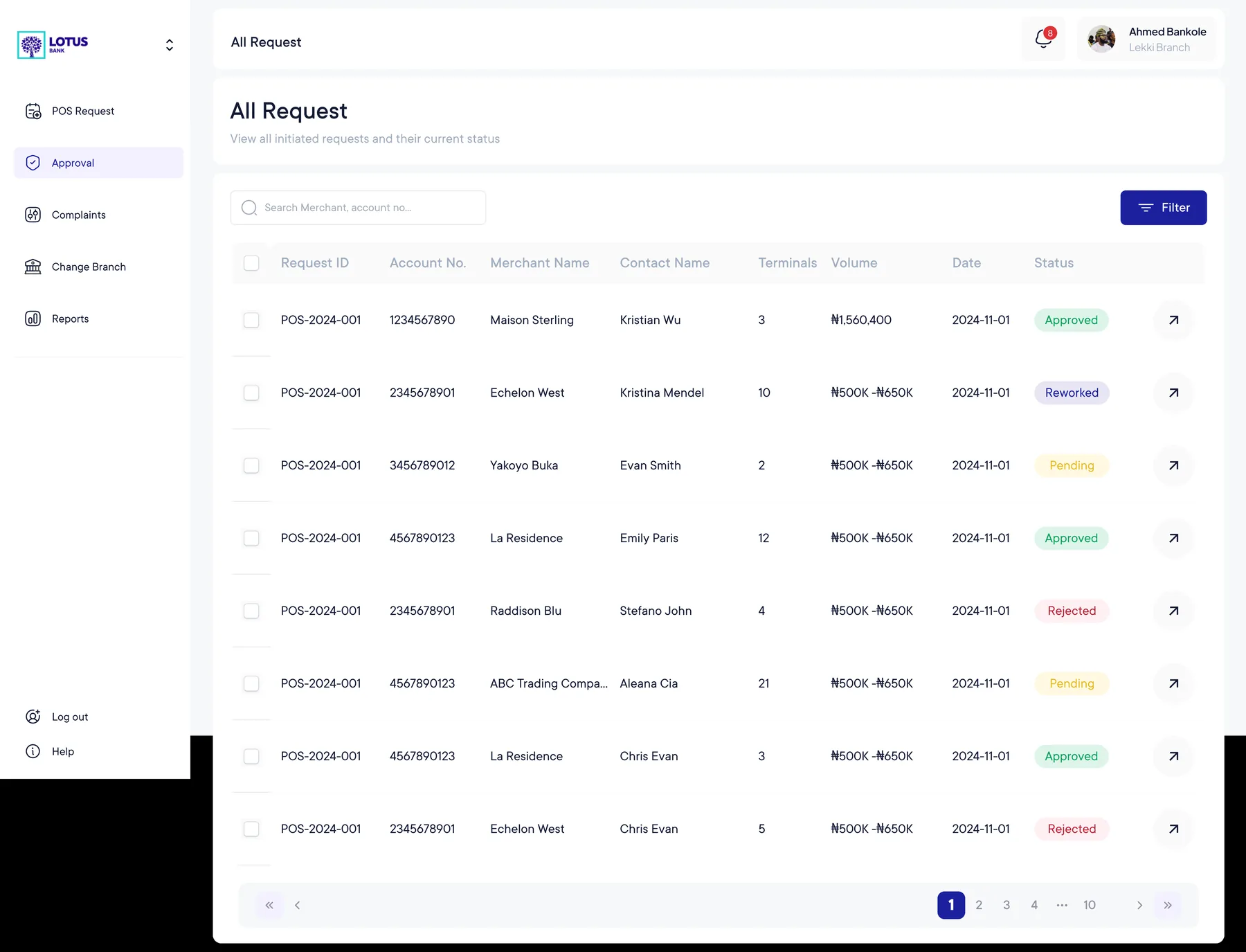
Status labels sit alongside request details so users can understand what needs attention without opening multiple records.
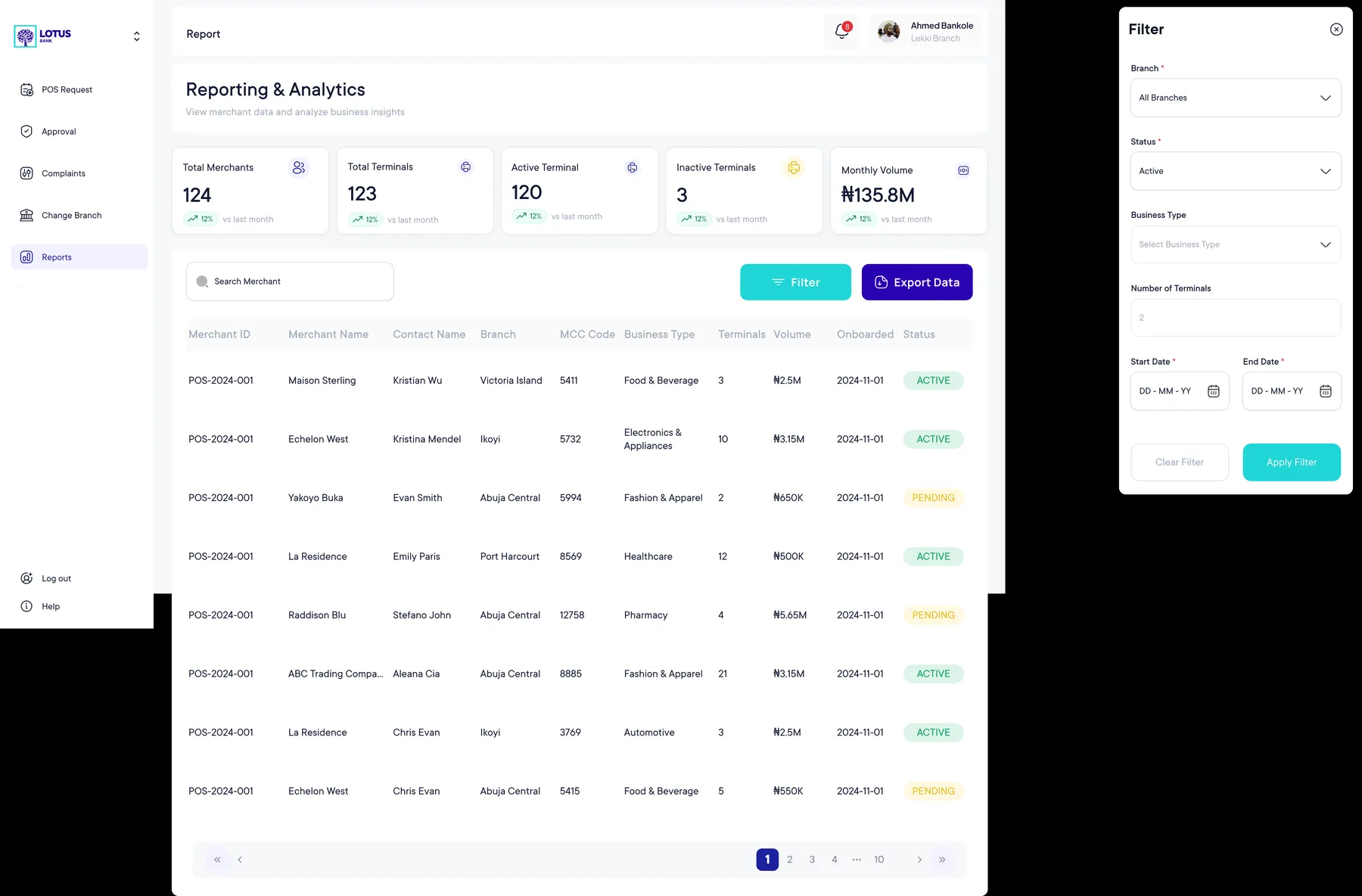
Request creation uses a guided form while list and tracking views are optimised for scanning and triage.
Tables, filters and compact metadata let teams compare multiple requests or faults at a glance.
Primary controls are placed near the information that explains why the action is relevant.
The TMS story, arranged as a workflow.
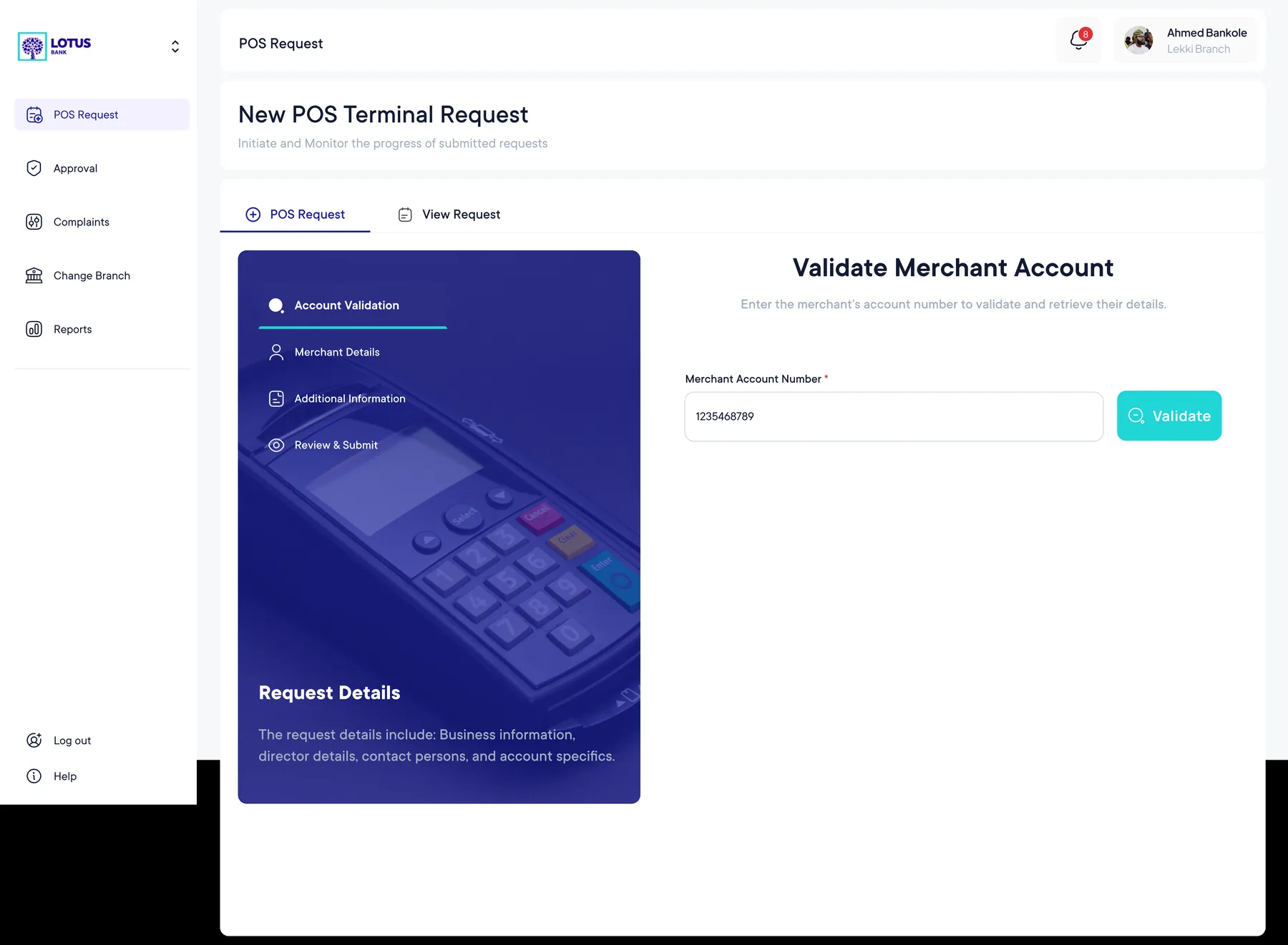
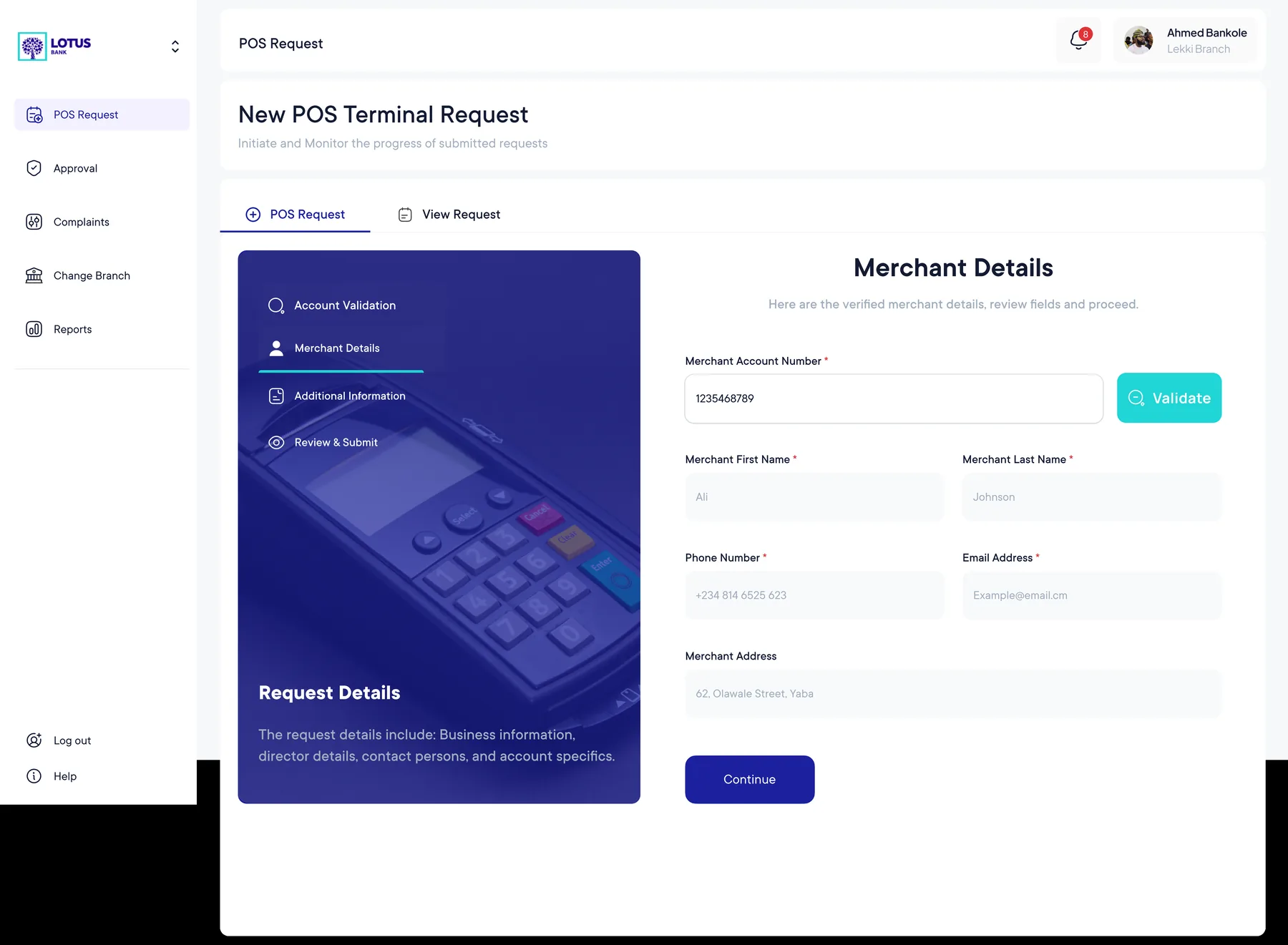
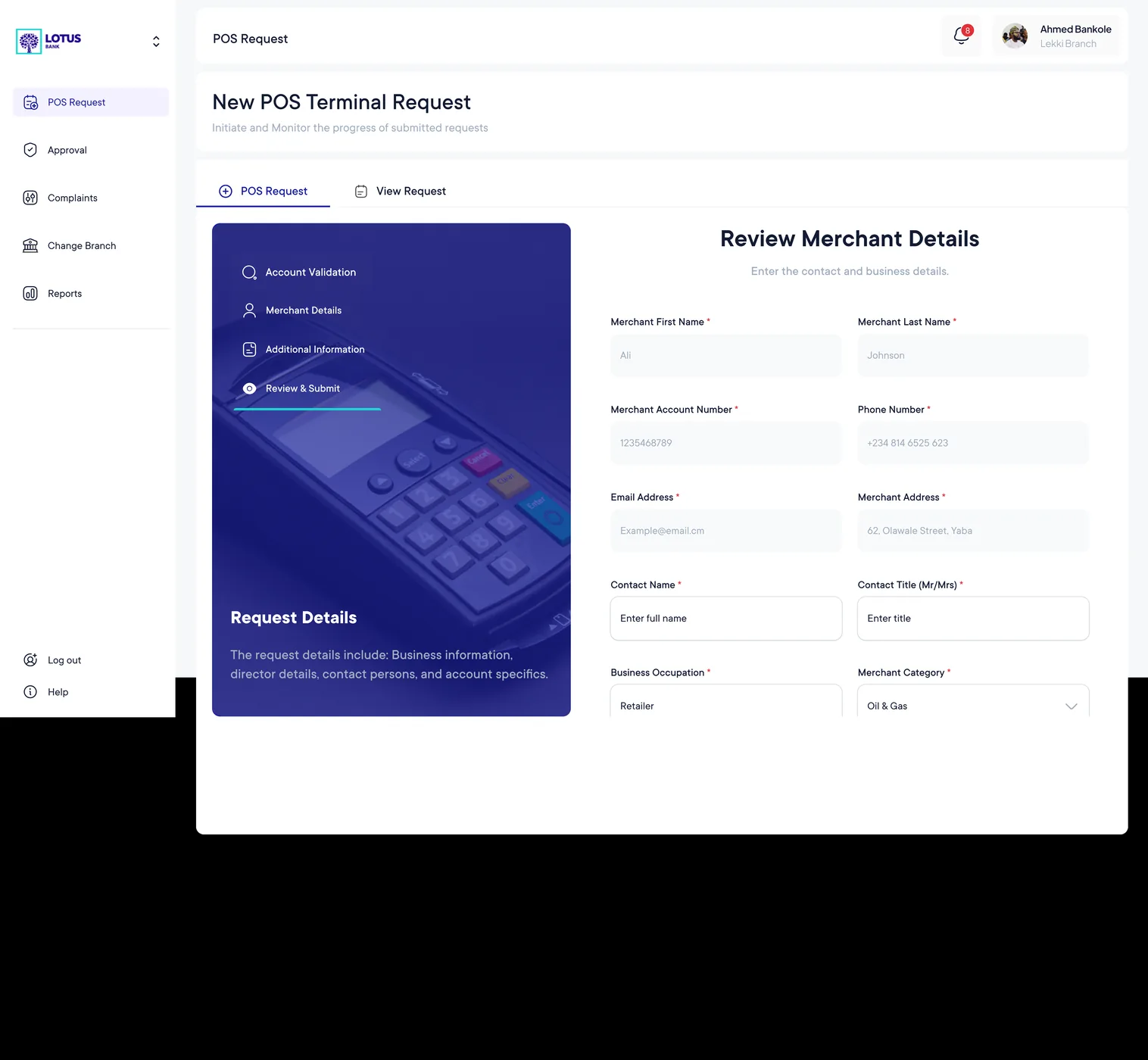
A coherent operational loop.
The supplied screens demonstrate a complete product narrative: sign in, create a request, validate merchant information, track progress, manage faults and review operational data.
The strongest outcome is the continuity between those states. Instead of treating each screen as a separate tool, the interface gives the team a shared model of what is happening, where a request stands and what needs to happen next.